
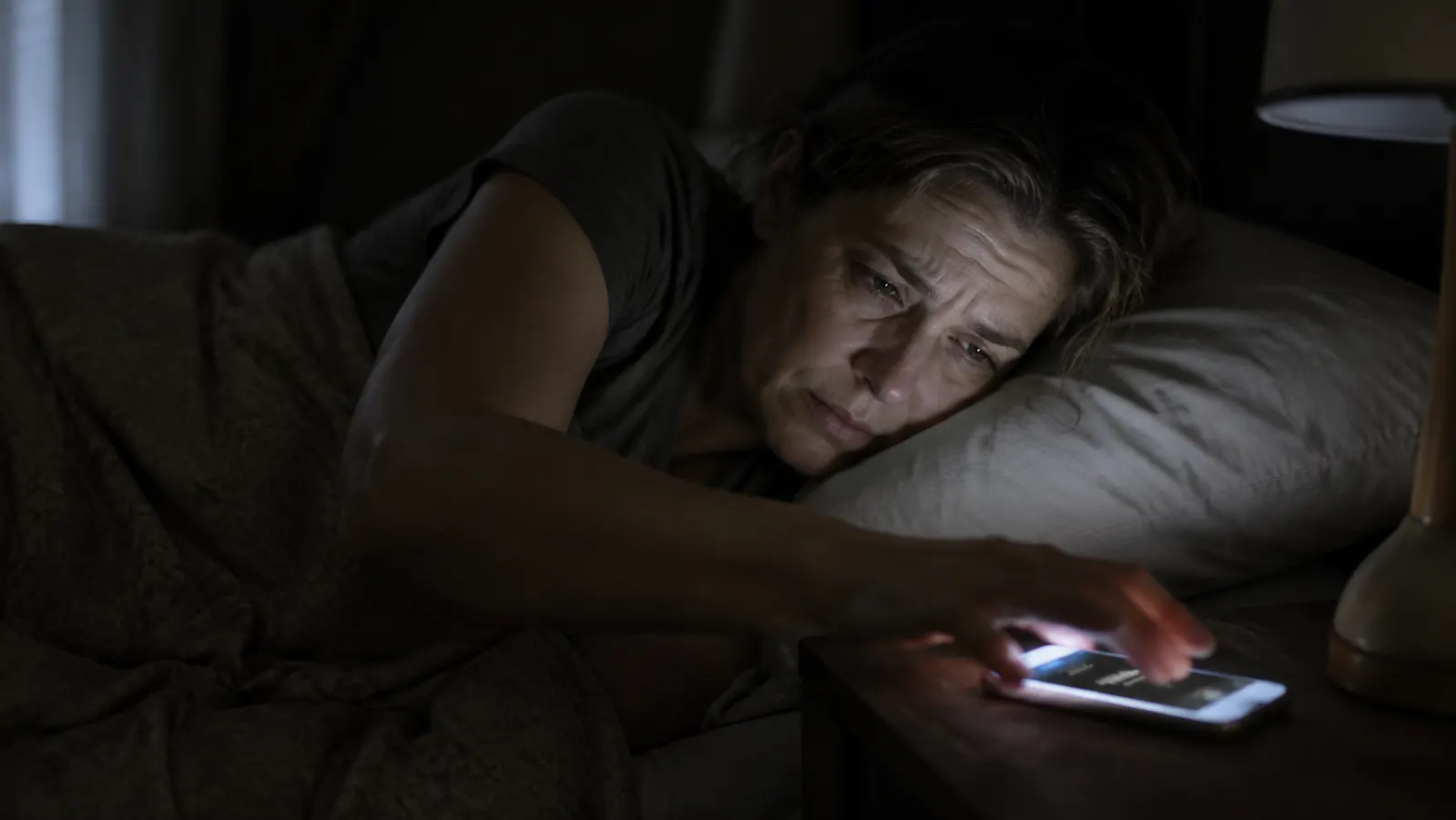
For three years I set my phone alarm to 6:15 AM and dragged myself out of bed feeling like I had barely slept at all. Eight hours, seven hours, nine hours. It did not matter. I still woke up foggy, irritable, and reaching for coffee before I could form a sentence. I assumed I was just not a morning person. Turns out, I was just waking up wrong.
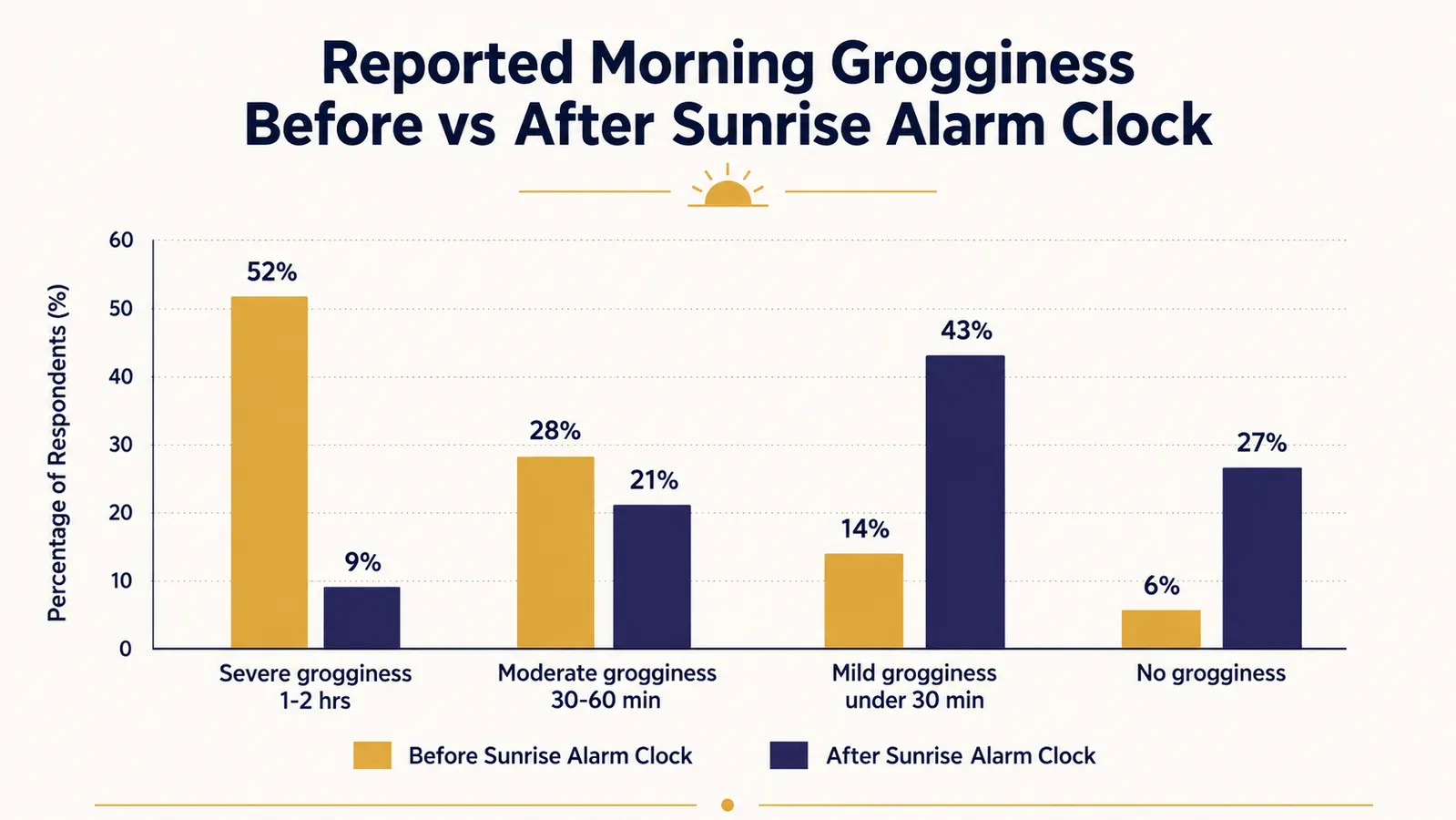
Sleep inertia is the technical name for that groggy, disoriented feeling right after your alarm goes off. It is caused by abrupt awakening while your body is still deep in a sleep cycle, triggering a cortisol spike that leaves your brain scrambled for 30 to 90 minutes. A phone alarm does not care what stage of sleep you are in. It fires at 6:15 whether your body is ready or not. The fix is not a stronger coffee or a different sleep schedule. It is changing how you wake up, specifically by using light to trigger a gradual, natural transition out of sleep. This guide walks through exactly how to do that, step by step, using the JALL Full-Screen Sunrise Alarm Clock as the primary tool.
Still waking up foggy? Your alarm is the problem, not your sleep.
The JALL sunrise alarm clock uses a 30-minute light simulation to ease your body out of deep sleep before the sound ever fires. Rated 4.3 stars across 28,000+ reviews. Check today's price on Amazon.
Amazon Check Today's Price on Amazon →Step 1: Understand Why You Feel Groggy (So You Can Fix the Right Thing)
Most people blame their grogginess on not getting enough sleep. Sometimes that is true. But sleep inertia happens even after a full eight hours when the alarm fires at the wrong moment in your sleep cycle. Your brain cycles through light, deep, and REM sleep roughly every 90 minutes. If your alarm catches you mid-cycle in deep sleep, your body is flooded with cortisol, adenosine is still circulating in your bloodstream, and your prefrontal cortex is genuinely slow to come back online. You are not lazy. You are physiologically impaired for 20 to 90 minutes after an abrupt alarm wake-up.
Natural light is the signal your body evolved to use for waking up. Specifically, increasing light intensity triggers a gradual reduction in melatonin and an equally gradual rise in cortisol starting about 30 minutes before true waking. When that process happens naturally, you surface through lighter and lighter sleep stages and arrive at wakefulness without the disorientation. The goal of everything in this guide is to replicate that natural process even if your bedroom is pitch dark and your schedule requires you to wake at 6 AM in January.

Step 2: Place the Sunrise Alarm Clock Correctly
The JALL's full-screen display is its main advantage over older, smaller sunrise clocks. The entire front face of the clock emits light, not just a small LED dome. That matters because your eyelids need to register the light even when they are closed. Thin eyelid skin passes a meaningful amount of ambient light through to your retina. That light signal is what starts the melatonin suppression process even before you are consciously aware of it. But it only works if the clock is aimed at your face.
Place the JALL on a nightstand within 18 to 24 inches of your head, with the screen facing directly toward you at roughly face height. If your nightstand is much higher or lower than your pillow level, angle the clock slightly. Do not put it across the room. A sunrise clock on the other side of a king-sized bed, pointed at the ceiling, will do almost nothing for sleep inertia. Proximity and direction matter. If you sleep on your side, position the clock so it is in your field of view when your face is pointed toward it, even with eyes closed.
One thing I got wrong the first week: I put mine on a tall dresser across from the bed because it looked nicer there. I noticed no difference from my phone alarm. Once I moved it to the nightstand at pillow height, the change was obvious within three days. Placement is not a minor detail. It is probably the single most common reason people try a sunrise clock and conclude it does not work.
Step 3: Set the Sunrise Duration to 30 Minutes Minimum
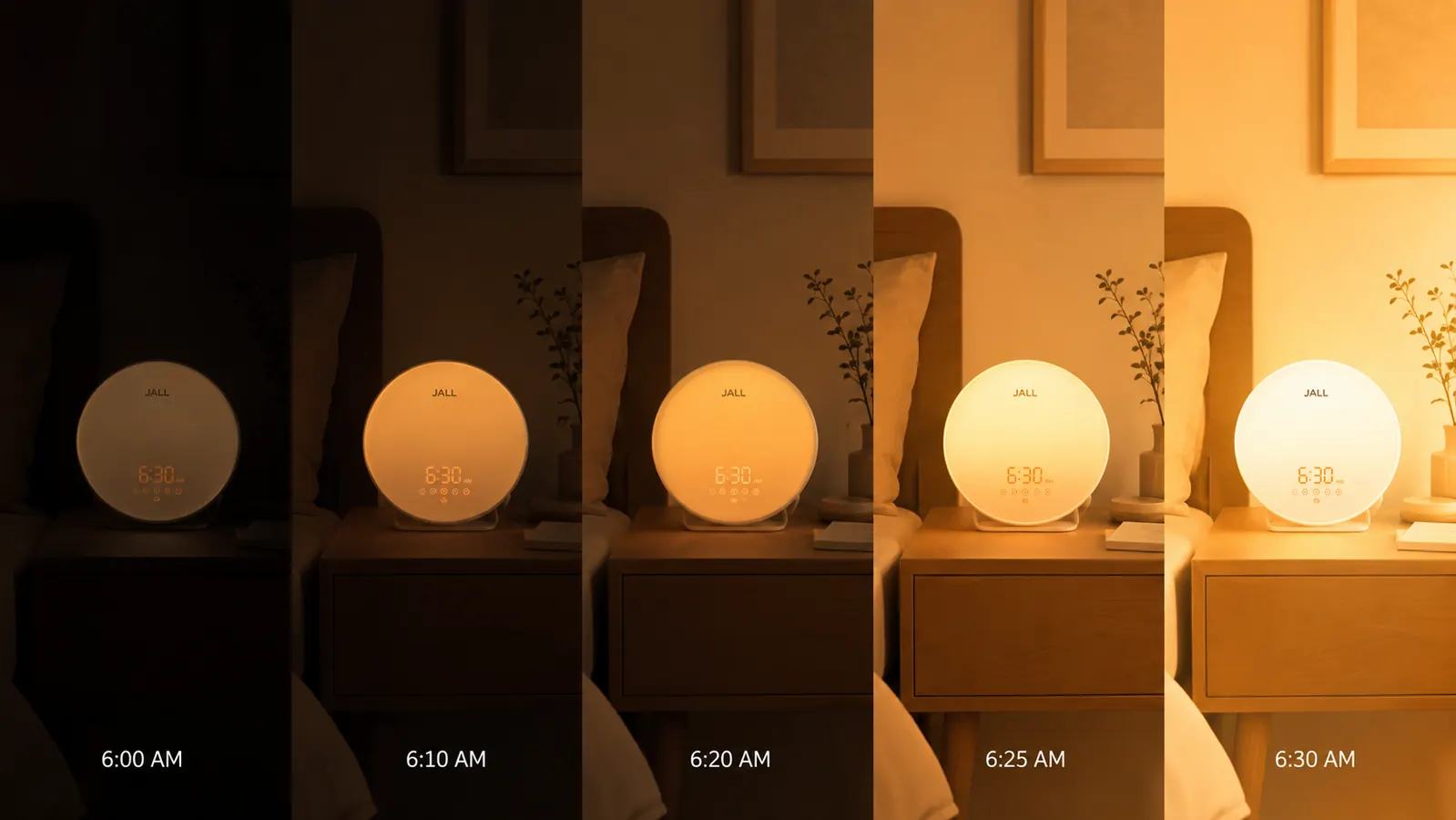
The JALL allows you to set the sunrise simulation to start 10, 20, or 30 minutes before your alarm time. Use 30 minutes. I know the temptation is to leave it at 10 minutes so it is less disruptive if you are a light sleeper, but 10 minutes is not enough to complete the melatonin-to-cortisol transition. The 30-minute window gives your body time to move from deep sleep into lighter sleep stages before the sound alarm fires. That is the difference between waking up disoriented and waking up aware.
Set your alarm time as your hard deadline, the time you absolutely must be up by. Then the JALL begins its light simulation 30 minutes before that. So if you need to be up at 6:30 AM, set the alarm for 6:30. The light starts at 6:00. By 6:30 your room is at full brightness and the sound alarm fires as a gentle confirmation rather than a shock. Many people find they wake naturally somewhere between 6:10 and 6:20 without the alarm sound going off at all. That is the goal.
Step 4: Set the Light Brightness to Maximum for the First Two Weeks
The JALL has 20 brightness levels. A lot of people set it to a low or medium level because they are worried it will disturb their sleep partner or feel too harsh. The problem is that too little light does not produce the biological trigger you need. At low brightness, the sunrise simulation becomes decorative rather than functional. For the first two weeks, set it to maximum brightness and observe what actually happens. Most people find that the gradual ramp from level 1 to level 20 over 30 minutes does not feel harsh at all because it starts so dim and builds slowly.
If you share a bed and your partner is a lighter sleeper than you, there is a practical compromise. Point the JALL at your side of the bed and ask your partner to wear a simple sleep mask for those 30 minutes. That is an easier adjustment than either of you continuing to start every morning in a cortisol fog. After two weeks at maximum brightness, dial it back one notch at a time until you find the lowest setting that still wakes you naturally before the sound alarm. That becomes your permanent setting.
Step 5: Configure the Backup Sound Alarm Correctly
The JALL includes white noise sounds and gentle nature sounds as backup alarm tones. Do not use a beeping clock alarm or phone ringtone as your backup. The entire point of a sunrise alarm is to avoid the cortisol spike from an abrupt sound. If your backup alarm is a jarring buzzer, you will undo most of the benefit on mornings when the light alone does not wake you, which will happen occasionally, especially in winter when you might be sleeping more deeply. Use the birds or the ocean wave setting on the JALL. Set the volume to about 40 percent, not full blast. The backup should be a gentle nudge, not a fire drill.
Also turn off your phone alarm entirely for at least two weeks. This is the part people resist most. They want to keep the phone as a failsafe. But the phone alarm is a psychological safety net that prevents you from fully trusting the sunrise process. When your brain knows there is a jarring alarm coming at 6:35, it stays on edge rather than cycling fully into lighter sleep during the simulation. Remove the failsafe for two weeks. The JALL's sound backup is sufficient. After two weeks, if you genuinely need a phone backup for work commitments, set it 10 minutes after the JALL alarm, not simultaneously.
Worth knowing: the JALL's white noise feature works on a separate toggle from the alarm, so you can run it through the night as a sleep aid and still have the sunrise simulation fire at your set time. I run the white noise setting most nights when traffic is loud outside. It does not interfere with the alarm function. That dual use makes the clock do two jobs instead of one, which matters when you are evaluating whether a dedicated sleep device is worth the space on your nightstand.
I did not become a morning person. I just stopped shocking myself awake. There is a difference, and it turns out that difference is everything.
What Else Helps
The sunrise alarm handles the wake-up trigger, but a few supporting habits make a noticeable difference in how quickly you feel fully alert. First, keep your bedroom as dark as possible during sleep. The JALL simulation works by contrast: going from dark to bright. If your room is already light at 5 AM from streetlights or early summer sun, the simulation is less effective. Blackout curtains are worth the investment if you are serious about this. Second, do not immediately look at your phone when you wake up. Give yourself 10 minutes of just being awake before you check anything. The sunrise process brings you out of sleep gently, and slamming your nervous system with notifications immediately reverses most of the benefit.
Third, a consistent wake time matters more than a consistent bedtime. Your body's circadian clock anchors primarily to when you wake, not when you fall asleep. If you use the JALL at 6:30 AM on weekdays but sleep until 9 AM on weekends, you are giving yourself a mild version of jet lag every Monday morning. Keeping your wake time within 45 minutes of your weekday target on weekends makes the weekday transitions noticeably easier. You do not have to be rigid about it. Just within 45 minutes. That single change, combined with the JALL's sunrise simulation, is often enough to eliminate the worst of the morning grogginess entirely within two to three weeks.
If you want to read a full breakdown of how the JALL performs across different seasons and room setups, the JALL Sunrise Alarm Clock 90-day review covers it in detail. And if you are still deciding whether a sunrise alarm clock is worth trying, 10 reasons a sunrise alarm clock beats a jarring phone alarm lays out the case plainly.
You have read the steps. The JALL is where to start.
Full-screen sunrise simulation, 20 brightness levels, built-in white noise, 30-minute programmable ramp. Budget-friendly. If you have been waking up foggy for years, this is the lowest-friction change you can make tonight.
Amazon Check Today's Price on Amazon →